

Google Analytics 4 (GA4) represents a significant leap forward in understanding user behavior on websites. By harnessing this powerful tool, businesses can uncover valuable insights that drive superior engagement and performance. This article will walk you through the essentials of using GA4 to its fullest potential, offering you practical tips and strategies to monitor, analyze, and enhance on-site activity robustly.
Understanding Google Analytics 4 and Its Capabilities
Before diving into the specifics, it’s important to grasp what GA4 brings to the table compared to its predecessors. Unlike older versions, GA4 focuses more on user-centric measurement, integrates cross-platform tracking, and provides AI-driven insights, making it an indispensable asset for modern digital marketing strategies.
Table of Contents
- Introduction to Google Analytics 4
- Setting Up Google Analytics 4
- Real-Time Reporting in GA4
- Tracking User Interaction on Your Site
- Audience Analysis with Google Analytics 4
- Behavior Flow in Google Analytics 4
- Engagement Metrics and Interpretation
- Conversion Tracking in GA4
- GA4 Retention Report Overview
- Predictive Metrics in GA4
- Integration Options for GA4: Expanding Insights
- Understanding Privacy Controls in Google Analytics 4
- Optimizing Strategies Using GA4 Data
- Case Studies: Success with Google Analytics 4
- Troubleshooting Common Google Analytics 4 Issues
- Conclusion: Leverage GA4 for Comprehensive Insights
Introduction to Google Analytics 4
Google Analytics 4 (GA4) is the latest evolution in Google’s analytics tools, offering advanced features to help you understand and engage users across platforms. With its user-centric design, GA4 provides flexible reporting, more intelligent insights, and robust privacy controls, making it a must-use tool for marketers and webmasters seeking to enhance their online presence.
Key Features of GA4:
- User-centric measurement model
- Cross-platform tracking capabilities
- Improved integration with Google Ads
- Advanced machine learning models
- Real-time data and reporting
As analytics move from session-based data to event-based data, understanding GA4’s framework is essential for accurately tracking user interactions and enhancing overall user experience.
Setting Up Google Analytics 4
Getting started with GA4 is straightforward but requires careful setup to extract its full potential. First, you will need to create a new GA4 property in your Google Analytics account. This can be done alongside your existing Universal Analytics property to allow for data comparison and a smoother transition.
Steps to Set Up GA4:
- Create a new GA4 property from your Google Analytics account.
- Use the setup assistant in GA4 to configure your data streams (websites and apps).
- Adjust your data collection settings to comply with privacy regulations like GDPR and CCPA.
- Implement event tracking tailored to your specific user interactions.
Implementing GA4 provides a foundation for deeper insights into how users interact with your site, offering a powerful tool for strategic decision-making.
Real-Time Reporting in GA4
One of the most compelling features of GA4 is its ability to monitor activity as it happens on your site. This real-time data enables you to see the immediate effect of your marketing campaigns, understand user behavior, and quickly adjust strategies based on user feedback.
Real-time reporting includes information on:
- The number of active users on your site
- Current active pages
- Geographic distribution of your users
- Traffic sources
This feature is particularly useful during product launches or marketing campaigns, as it allows for quick alterations based on user reactions and engagement levels.
Tracking User Interaction on Your Site
GA4 excels in its robust capacity to track a wide array of user interactions, from clicks and scrolls to file downloads and video views. By setting up specific events in GA4, you can begin to gather data on just how users are engaging with your content. This tracking is autonomous; once set up, GA4 will automatically log these interactions, providing a comprehensive overview of user behavior.
Types of interactions you can track with GA4 include:
- Clicks (on links, buttons, or other elements)
- Scroll depth – how far users scroll on your pages
- Site search – monitoring what users are searching for on your site
Effectively monitoring these interactions allows for refined user experience (UX) strategies and more targeted content creation, ultimately leading to improved site performance and user satisfaction.
Audience Analysis with Google Analytics 4
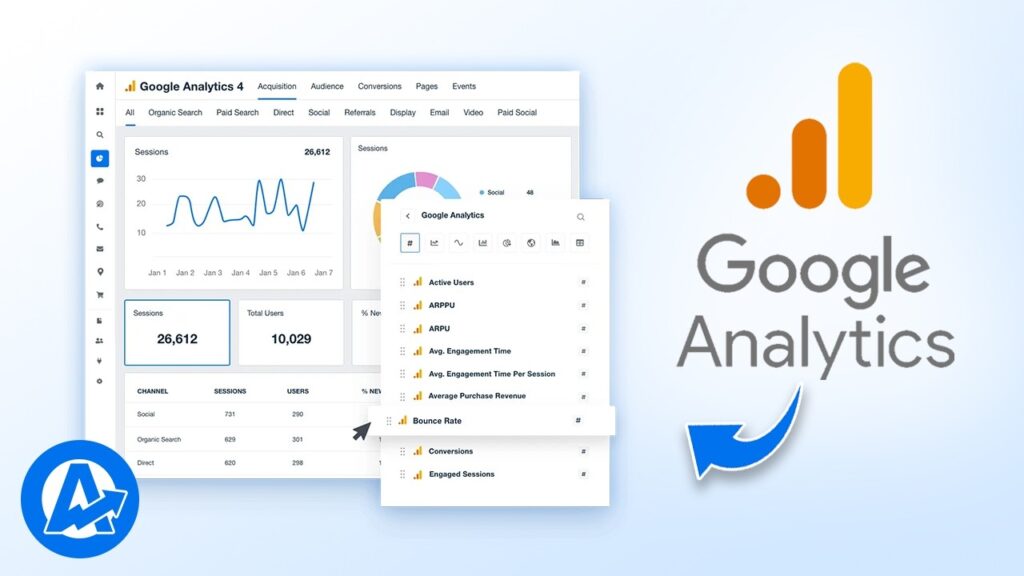
Understanding your audience is crucial to tailoring your digital strategy to meet their needs. GA4 offers advanced segmentation tools that help you define your audience more clearly. You can segment by demographics, device usage, acquisition channels, and more, to gain a profound insight into who your users are and what they need.
Segmentation helps you to:
- Customize and personalize user experiences
- Target marketing efforts more effectively
- Optimize resource allocation across various channels
This level of detail extends beyond what was available in previous versions of Google Analytics, providing a more nuanced look at the complexities of user engagement and retention.
Behavior Flow in Google Analytics 4
GA4’s Behavior Flow feature allows you to visualize the paths users take through your site, from the moment they land until they exit. This visualization helps uncover what content is most engaging and what might be causing users to leave.
By analyzing paths, you can:
- Identify common entry and exit points on your site.
- Highlight potential areas for content improvement.
- Adjust navigation to enhance user experience
Understanding these user flows is critical for optimizing the structure and content of your site, ensuring that user journeys are as efficient and productive as possible.
Engagement Metrics and Interpretation

Within GA4, engagement metrics provide a crucial snapshot of how effectively your site captivates visitors. Metrics like Engagement Time, Engagement Rate, and Bounce Rate are recalibrated in GA4 to offer more precise insights into user interaction and satisfaction.
“Engagement Time” now reflects only the time spent on your site with active interaction, making it a more accurate measure compared to the previous passive data collection method.
Conversion Tracking in GA4
Conversions are the vital signs of the success rate of marketing efforts. In GA4, setting up and tracking conversion events have become more intuitive. Events in GA4 can be marked as conversion events directly within the interface without needing additional code, unlike in previous versions.
To make the most of this feature:
- Define what constitutes a conversion on your site—be it sign-ups, downloads, or purchases.
- Use GA4’s event marking feature to categorize these interactions as conversions.
- Monitor these conversions to understand which campaigns or user interactions drive the most value.
This streamlined approach not only simplifies the technical workload but also enhances the accuracy of conversion tracking, essential for ROI analysis.
GA4 Retention Report Overview

Retention is key in building a loyal customer base. GA4 offers detailed retention reports that help businesses understand how well they are keeping users returning to the site. The retention report in GA4 is divided into cohorts based on the date of the first visit, providing visibility into which user groups are most loyal.
Insights from Retention Reports:
Such insights can inform content strategy, marketing campaigns, and product development, ensuring they align well with user needs and preferences.
Predictive Metrics in GA4
GA4 goes beyond reactive analytics to offer predictive insights that can forecast future user actions based on their behavior patterns. Two key metrics here are Purchase Probability and Churn Probability. These metrics help predict the likelihood of a user making a purchase or disengaging, providing an invaluable tool for proactive business strategies.
Using machine learning, GA4 analyzes user behavior to identify patterns that indicate future actions, thereby empowering marketers to tailor their efforts more effectively.
Integration Options for GA4: Expanding Insights
GA4 is designed to work seamlessly with other Google services, including Google Ads, Data Studio, and BigQuery. This integration facilitates a holistic view of marketing efforts and outcomes.
- Google Ads integration allows for direct observation of how ad impressions lead to site behavior.
- Data Studio helps create customizable, dynamic reports.
- BigQuery offers a platform for advanced data analysis.
The integration capabilities of GA4 enhance data utilization across platforms, enabling more complex and impactful data-driven strategies.
Understanding Privacy Controls in Google Analytics 4

GA4 includes enhanced privacy controls, ensuring compliance with global data protection laws such as GDPR and CCPA. These controls simplify the management of data collection and usage, helping businesses maintain user trust and legal compliance.
Key privacy features include:
- User data deletion requests
- Data retention controls
- User consent settings
The emphasis on privacy greatly aids in building a trustworthy relationship between websites and users, fostering a safer web environment.
Optimizing Strategies Using GA4 Data
To fully leverage the data from GA4, ongoing analysis and adaptation of strategies are necessary. This involves regularly reviewing analytics, adapting to new insights, and potentially restructuring marketing approaches to ensure the highest efficiency and effectiveness of your online presence.
Case Studies: Success with Google Analytics 4
Real-world applications and successes underline the effectiveness of GA4. Numerous businesses have seen improvements in user engagement, higher conversions, and enhanced overall performance by integrating GA4 into their digital strategies.
Troubleshooting Common Google Analytics 4 Issues
While GA4 is powerful, it can sometimes present challenges in setup and interpretation. Common issues include tracking discrepancies, configuration errors, and misunderstanding data reports. Regular training and keeping abreast of Google’s updates can mitigate these issues.
Conclusion: Leverage GA4 for Comprehensive Insights
Google Analytics 4 is more than just an analytics tool—it is an integral component of strategic digital marketing. Its capacity to provide deep, actionable insights makes it a cornerstone for any business aiming to thrive in an increasingly digital world. By fully utilizing the capabilities of GA4, businesses can ensure they stay ahead of user trends and marketplace shifts, securing a competitive advantage in their industries.

Hello, I am Sajid, I have been working & writing for the Gibson team for over 4-years now. I help with keyword research, meta data insertion, content creation, and getting the project to the finish line. I also manage, organize, and publish helpful articles.